Safety
Meeting a stranger is a different thing from messaging one. This page covers what Pilke does about that, and what is worth doing yourself.
A trusted person
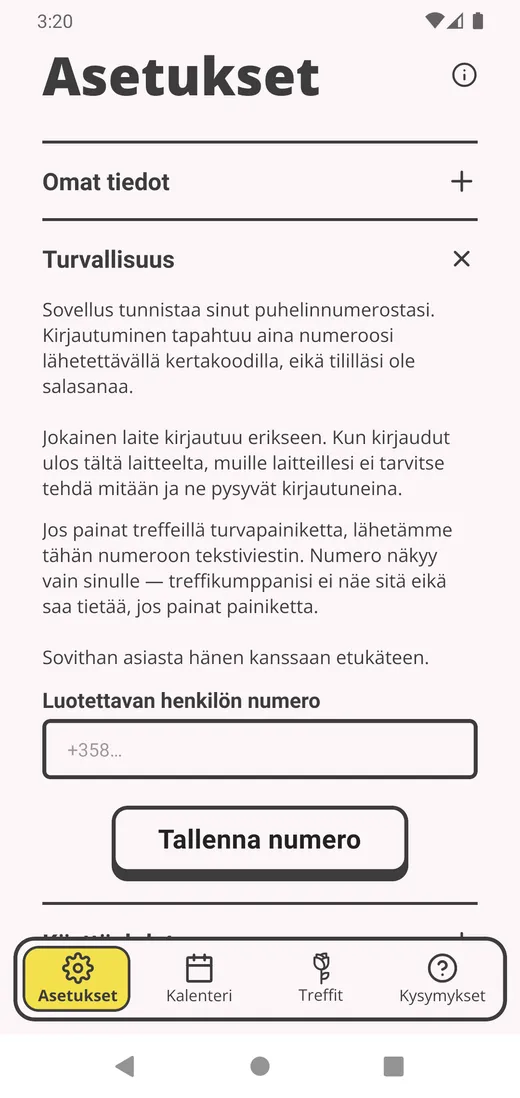
You can save one phone number under Safety in the settings. It is the only number the app can text on your behalf.
The safety button
The safety button appears on the date screen once you have saved a trusted person. One press texts them. Without a saved number there is no button, so set the number beforehand. The message carries your name and the fact that you pressed the button and are asking them to get in touch. It names no location, no venue, no time and nothing about the person you are meeting. The other party learns nothing about the press.
Reporting
If something did not go the way it should have, you can say so after the date, in your own words. The report is kept for Pilke staff to read. We are not promising yet how quickly somebody gets to it.
Meeting somebody safely
None of this is particular to Pilke. It is ordinary sense, and easy to forget on a nervous evening.
- Save a trusted person before your first date.
- Tell somebody where you are going and when you expect to be home.
- Pick somewhere with other people around for a first date.
- Arrange your own way there and your own way back.
- Keep your phone charged.
- If you feel uncomfortable, leave. You do not owe anybody an explanation for it, us included.
Location and privacy
Pilke does not ask for your home address, or where you live at all. You choose an area on a map and how far you would travel for a date, and venues are suggested inside that circle.
Your device location is read only on a date, and only if you choose to show it. Sharing works for ten minutes either side of the agreed start and only within 300 metres of the venue, so you cannot be located from home. Only the other person sees it, not your trusted contact. It is deleted as soon as the window closes, and it is not used for anything else: it feeds no compensation, no slowdown and no report. You can stop at any time.