Finally, a dating app
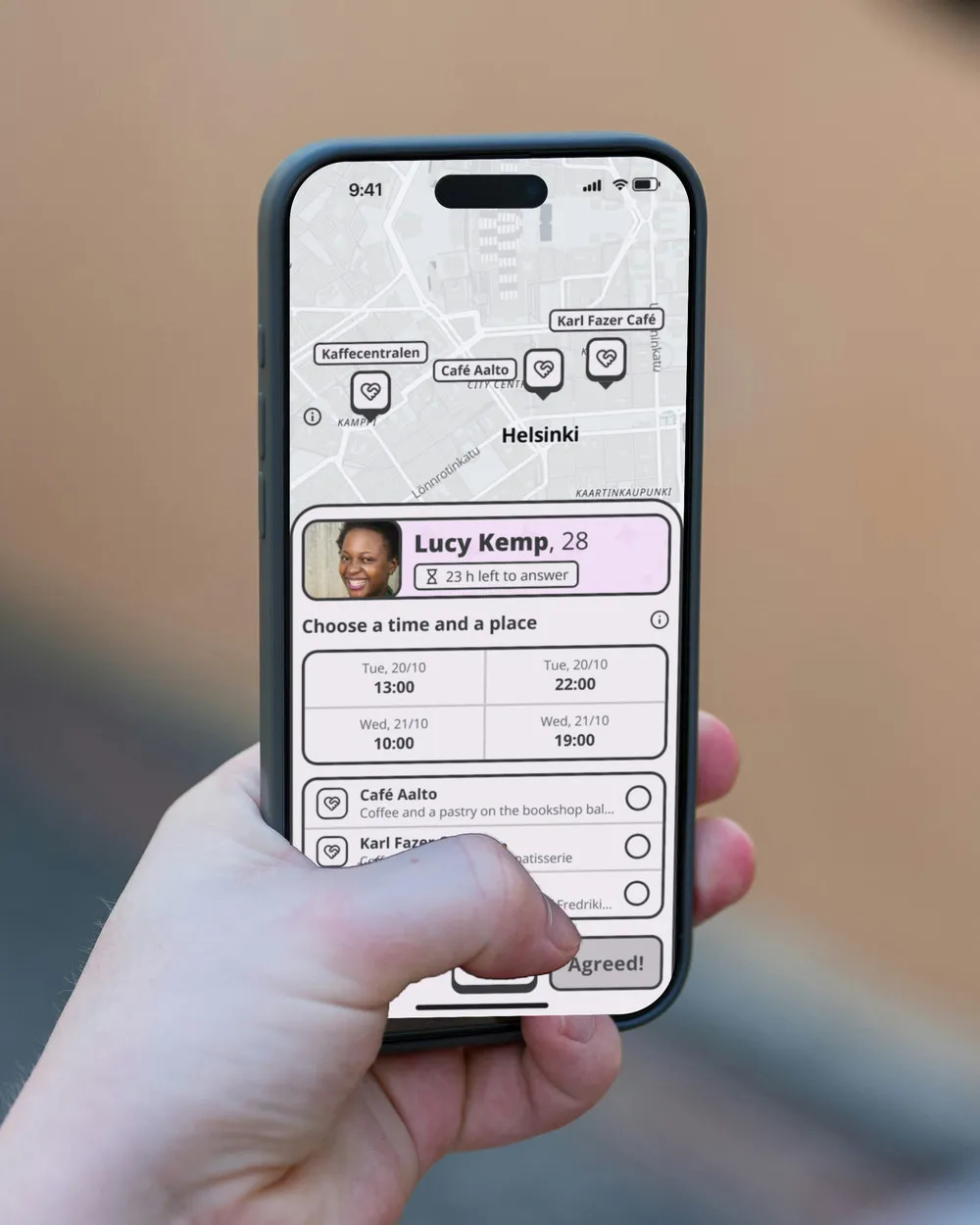
Pilke finds your candidates, a time you both have free and a place to meet. You go on the date.
In other apps, struck through:Swipe. Chat. Get ghosted. Swipe. Chat some more. Maybe a date.
No swiping and no chatting on Pilke.
Pilke takes care of all that for you and hands you a date that is practically ready.
Candidates who fit what you want
Your wishes narrow down the candidates, and the personality quiz puts them in order. The more people use Pilke, the better that order gets.
Get an invitation, or send one
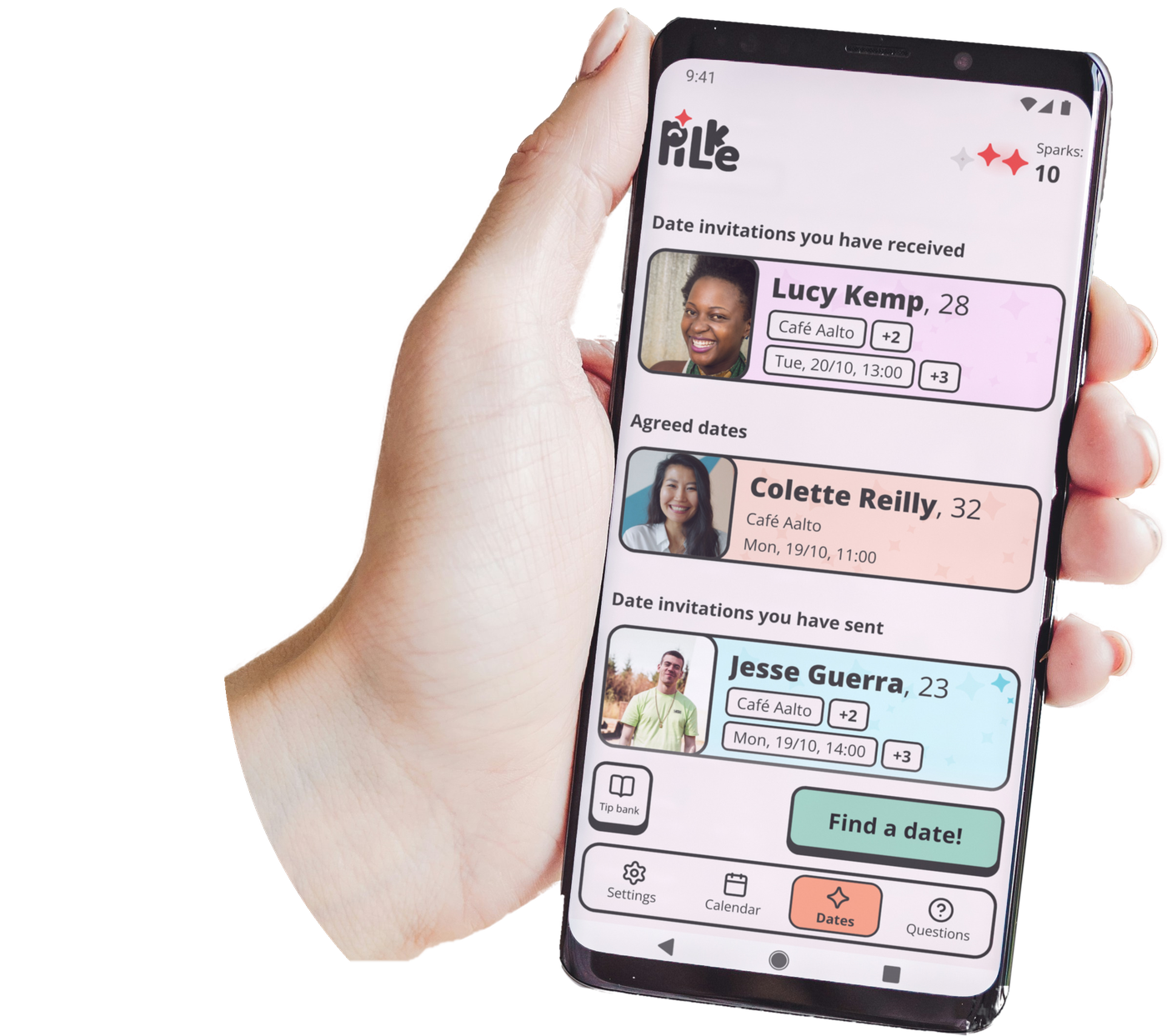
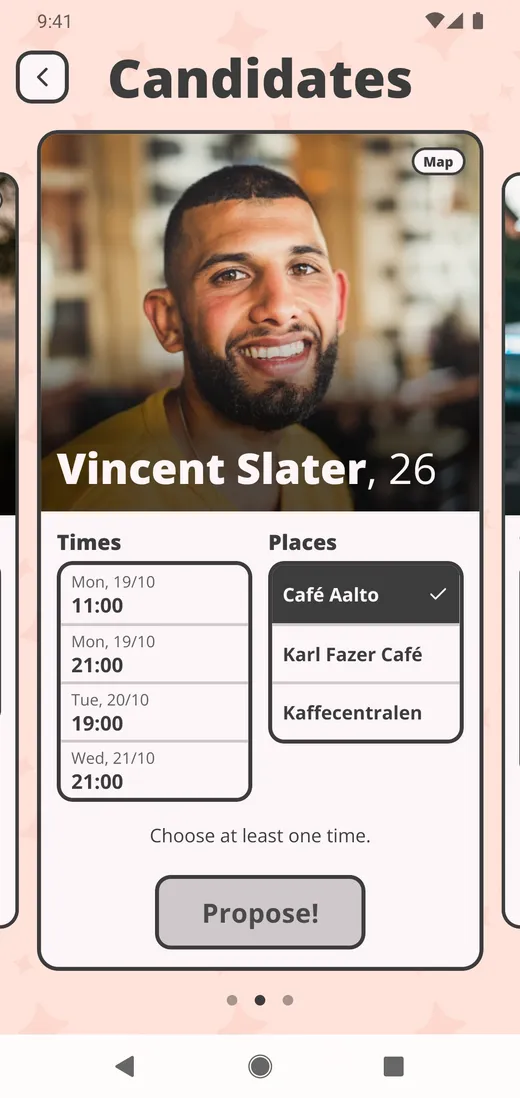
Either a date invitation comes straight to you, or you find 3 candidates and choose who to invite.
Time and place already set
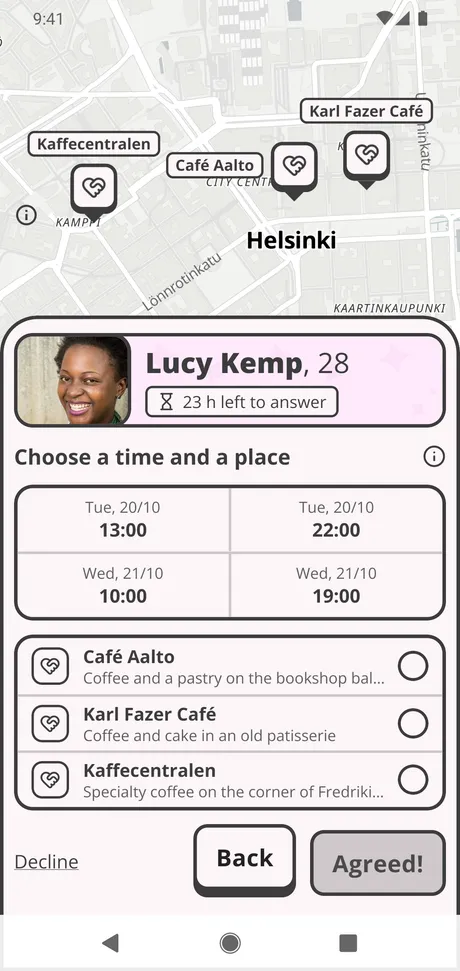
With every candidate, your calendars share at least 1 hour, and there is a place you can both get to. The invitation comes with the times and places, and the other person picks one of each.
After the date
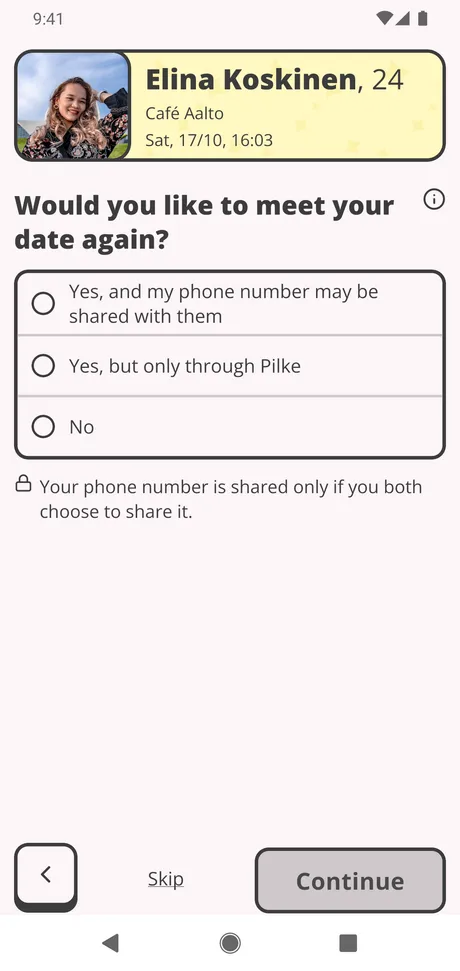
If it went well and you both want to, you swap phone numbers and carry on outside Pilke. If it didn’t quite click, your feedback helps us find you better-suited candidates for your next dates.
How it goes in practice
Setting up takes about fifteen minutes. Then you’re off on dates!
Create an account
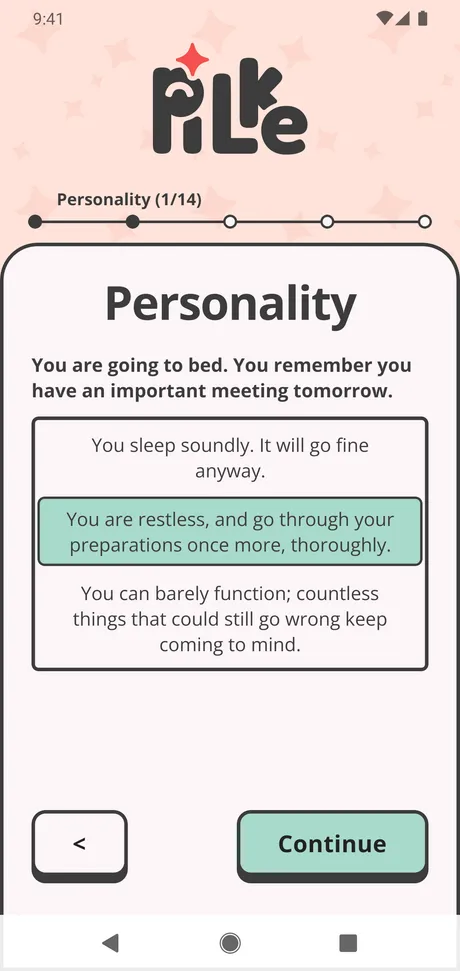
Say what you are looking for, answer the personality quiz and mark the times in your calendar when you could go on a date. The quiz’s 14 questions decide the order your candidates are shown in.
Invite, or be invited
Find candidates and send a date invitation to the one who feels like your type. When someone invites you, you pick a time and a place, and the date is set.
Go on the date
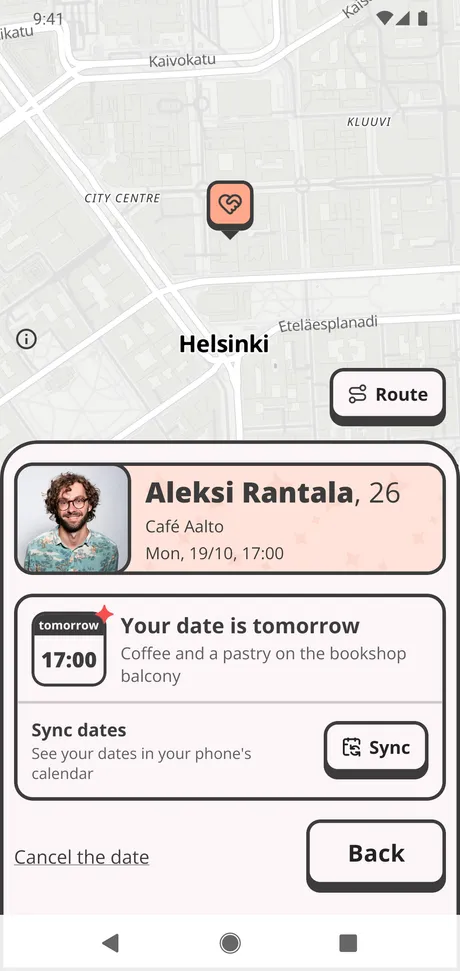
The date page shows you the time, and the place on a map. At the venue you can share your locations, so you find each other.
Give feedback
Answer a short quiz after the date. Then you set up the next one.
Who is Pilke for?
Pilke does one thing: it gets you on a date. For anything else, there are better apps.
- What if I want to see more candidates?
- Then you’d probably be better off with Tinder.
- What if I want to chat before the date?
- Then you’d probably be better off with Bumble.
- What if I don’t want to use my phone?
- Then you’d probably be better off with OkCupid.
- What if I think algorithms are the devil’s work?
- Then you’d probably be better off with Valo.